


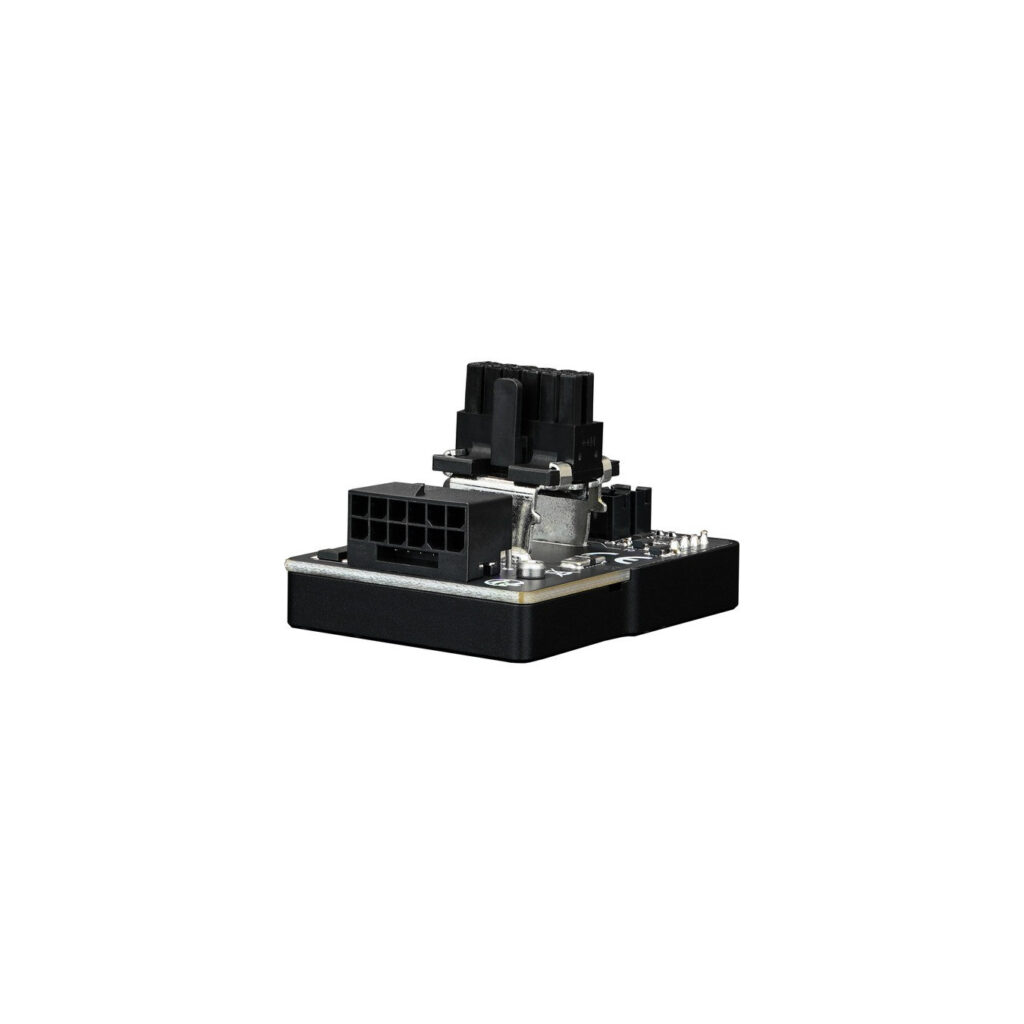


WireView Pro GPU 1x12VHPWR 90°, Normal, Gauge
Thermal Grizzly’s 90° WireView Pro GPU «N» allows you to measure the power consumption of graphics cards via the 12VHPWR power connector and record this data to determine consumpti…
Доступно через 6–10 рабочих дней : 27 шт.
For any questions about this item, availability, or delivery times, please contact us at 22 270068
Thermal Grizzly’s 90° WireView Pro GPU «N» allows you to measure the power consumption of graphics cards via the 12VHPWR power connector and record this data to determine consumption. The data can be used, among other things, to determine the power costs of a graphics card or to compare the power consumption with other graphics cards. A special measurement cycle of the last 60 seconds enables a quick and convenient display of the power consumption, which is very practical for reviews, for example. At the same time, the measurement can be used to determine the power consumption of graphics cards over a certain period of time or for certain applications. In addition, peaks in power consumption that can occur when current high-end graphics cards are in operation can be detected. The Pro version has been expanded to include additional functions with plug detection, temperature sensors and the acoustic warning signal. The 90° WireView Pro GPU’s connector detection detects whether a connection cable specified for 150 watts, 300 watts, 450 watts or 600 watts is being used. It should be noted that the 90° WireView Pro GPU only measures the power consumption via the power connection cable and not any consumption via the mainboard’s PCIe slot. If the wrong cable is used or if the cable is not connected correctly, a warning tone will sound. Two temperature sensors, which are located on the circuit board at the power connections, monitor the temperatures at the power connectors. If an adjustable temperature limit is exceeded, an acoustic alarm is triggered. Two additional, included temperature sensors (10K NTC) can be connected via cable. Two sensors with a cable length of 5cm and 20cm each are included in the scope of delivery. In addition, the alarm can be triggered if the adjustable limit for the current strength (amps) is exceeded.
| Typ | measuring device |
| Color | schwarz |
| EAN | 4260711991349 |
| Manufacturer no. | TG-WV-90-P-H1N |
| Manufactured in | Deutschland |
| Purpose of use | For measuring the power consumption of graphics cards |
| Operating mode | Mains connection |
| Display/display | Current power consumption in watts [W], current voltage in volts [V], current current in amperes [A], minimum and maximum power consumption in watts [W], average power consumption over 60 seconds [AVG W] and total power consumption [E], measured temperatures of the individual temperature sensors [°C] |
| Measurements | DC voltage |
| calculation | Energy consumption |
| Feature | OLED display, internal temperature sensors on the power connections, external temperature sensors, pin detection for the sensor pin plugs, alarm function |
| More information | The WireView Pro GPU is available in “N” and “R” versions. "N" stands for the normal orientation of the PCIe connectors on the PCIe expansion card, "R" for the rotated (reversed) orientation. If the graphics card is equipped with power connectors where the four sensor pins of the connector are located between the PCB and the 12 power connectors, the "N" variant is required (PCB - 4x sensor pin - 12x power connector). If the graphics card is equipped with power connectors where the 12 power connectors are located between the PCB and the four sensor pins of the connector, the "R" variant is required (PCB - 12x power connector - 4x sensor pin). |
| Notice | Due to its design, the 90° WireView Pro is not compatible with all graphics card models and series. This is due to the size of different cooler designs as well as the location of the 12VHPWR connector on the graphics card PCB. |
| Warnings and safety information | Safety instructions: When using the 12VHPWR adapter, make sure that each of the three or four 8-pin PCIe connectors is connected to the power supply with a separate 8-pin PCIe cable. Using a splitter (Y-cable) is strongly discouraged! |